
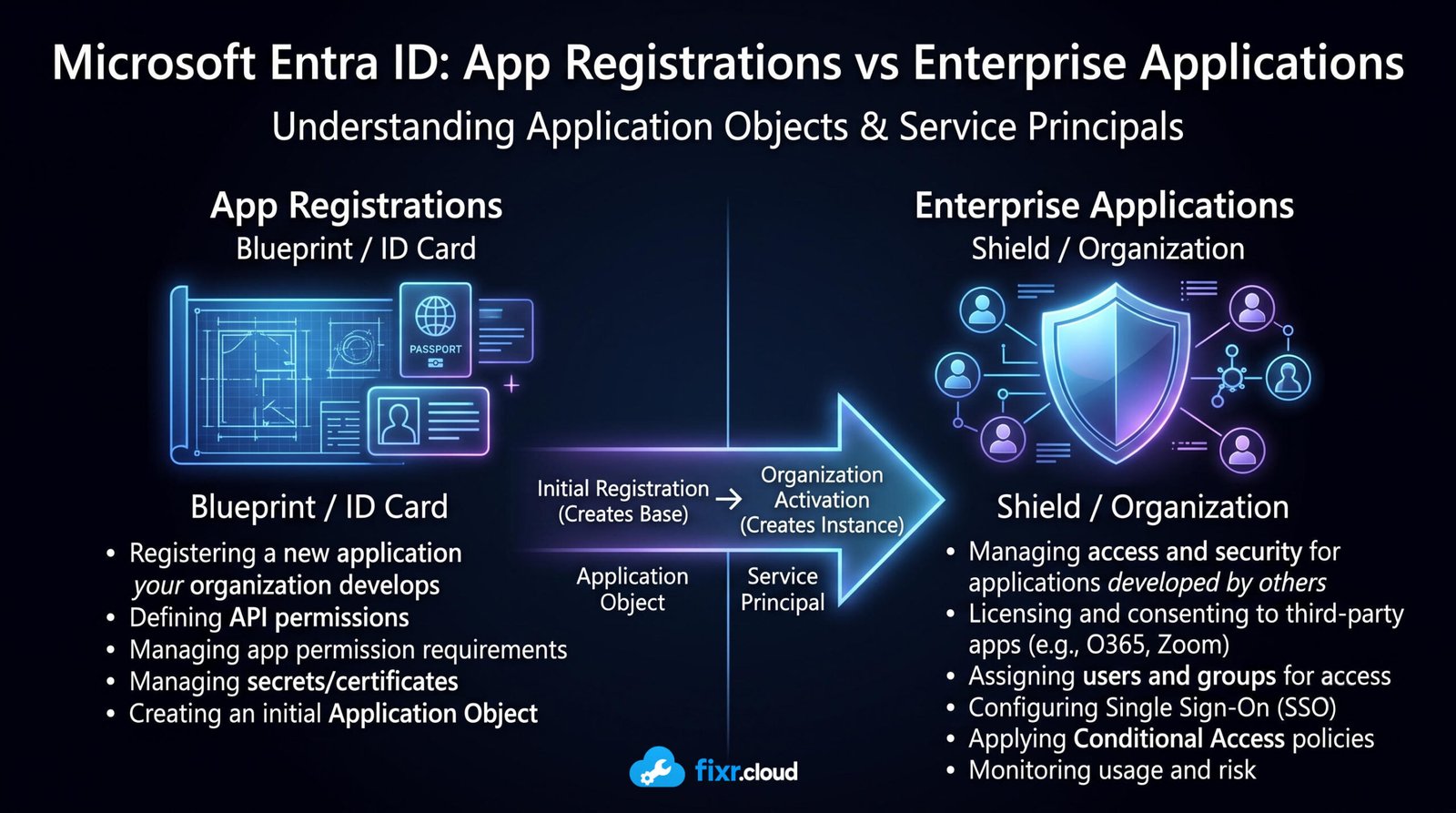
App Registrations vs Enterprise Applications in Microsoft Entra: What’s the Difference?
If you’ve ever created an application in Microsoft Entra, you’ve probably asked yourself this question:
“Why does the same application appear under both App Registrations and Enterprise Applications?”
You’re not alone.
This is one of the most common points of confusion for Microsoft 365 administrators. At first glance, it looks like Microsoft creates two copies of the same application. In reality, these are two different objects with two different purposes.
Once you understand their relationship, concepts like Microsoft Graph, OAuth, API permissions, and Single Sign-On become much easier to understand.
Why Does This Matter?
Whether you’re integrating Zoom, creating a Microsoft Graph automation script, or configuring Single Sign-On for a business application, you’ll eventually work with these two sections.
Knowing which one to configure saves time, avoids misconfigurations, and makes troubleshooting much easier.
App Registration: The Application’s Identity
An App Registration is where an application receives its identity in Microsoft Entra.
When you register an application, Microsoft creates an Application Object, which contains information such as:
- Application (Client) ID
- Redirect URIs
- Certificates and Client Secrets
- Supported account types
- API permissions the application can request
Think of the App Registration as the application’s blueprint. It defines what the application is.
Typical use cases include:
- Microsoft Graph automation
- Internal business applications
- Web applications
- APIs
- Azure Automation scripts
Enterprise Application: The Tenant’s View of the Application
An Enterprise Application is the application’s representation inside a Microsoft Entra tenant.
Technically, it’s a Service Principal.
This is where administrators manage how the application behaves within their organization.
Common administrative tasks include:
- Assigning users and groups
- Configuring Single Sign-On (SAML or OpenID Connect)
- Reviewing sign-in logs
- Applying Conditional Access policies
- Managing provisioning
- Controlling user access
Think of it as the application’s employee badge inside your organization.
A Simple Way to Remember It
Imagine your company hires a new employee.
HR creates the employee record with a name, employee ID, and department.
That’s the App Registration.
IT then decides which applications, buildings, and systems the employee can access.
That’s the Enterprise Application.
In short:
- App Registration creates the identity.
- Enterprise Application manages the identity inside your tenant.
Why Does the Same Application Appear Twice?
When you register a custom application, Microsoft automatically creates:
- An Application Object (App Registration)
- A Service Principal (Enterprise Application)
These aren’t duplicates.
The Application Object defines the application globally, while the Service Principal allows your tenant to use and manage that application.
For multi-tenant applications, every customer tenant receives its own Service Principal after consent is granted.
Why Does Zoom Only Appear Under Enterprise Applications?
This is another common question.
Applications like Zoom, Salesforce, Adobe Acrobat, and ServiceNow were not created in your tenant.
Their vendors already created the App Registration.
When your organization grants consent to use one of these applications, Microsoft Entra automatically creates a Service Principal in your tenant.
That’s why you see them under Enterprise Applications, but not under App Registrations.
Common Mistakes
❌ Adding API permissions in the wrong place.
API permissions are configured in the App Registration, not the Enterprise Application.
❌ Deleting the App Registration when you only want to remove access from your tenant.
In many cases, removing the Enterprise Application (Service Principal) is the correct action.
❌ Assuming both objects contain the same settings.
They have different responsibilities and should be managed accordingly.
Best Practices
- Use App Registrations to configure authentication, secrets, certificates, and API permissions.
- Use Enterprise Applications to manage user access, Single Sign-On, Conditional Access, and monitoring.
- Before deleting either object, understand its impact—especially for multi-tenant applications.
💡 Fixr.Cloud Insight
One question has saved me hours of troubleshooting over the years:
“Am I looking at the Application Object or the Service Principal?”
If the issue involves authentication, redirect URIs, certificates, or Microsoft Graph permissions, I start with the App Registration.
If the issue involves user access, Single Sign-On, Conditional Access, or sign-in failures, I investigate the Enterprise Application.
Knowing where to look is often half the solution.
📌 Quick Recap
- App Registrations create an application’s identity.
- Enterprise Applications represent that application inside your tenant.
- Every custom App Registration creates a Service Principal.
- Third-party SaaS apps usually appear only under Enterprise Applications.
- Understanding the difference makes Microsoft Entra administration much easier.






